Every job scheduled, assigned and logged.

Keeping a building running is a constant mix of planned upkeep and the work that lands without warning. Maintenance & Scheduling brings both into one place, with a single view of everything due across your whole operation, so nothing slips through the gap and every job leaves a record behind it.

Try Today

Features

Planned and reactive work, in one place

Maintenance usually lives in a tangle of wall planners, recurring calendar invites and jobs scribbled on a whiteboard, easy to miss and impossible to prove later. Maintenance & Scheduling pulls planned maintenance, inspections and work orders into one system, schedules them across every site you run, and logs each one as it's done. Here's what's inside.

Planned maintenance schedules

Set up recurring maintenance and let it run on its own, so routine upkeep is created on time rather than relying on someone to remember it. Each schedule defines what needs doing and how often, and generates the work automatically as the dates come round. Routine servicing, statutory checks and seasonal jobs all stay on track without manual chasing.

  • Recurring schedules for any planned work
  • Jobs generated automatically on the right cadence
  • Set against the locations and assets they cover
  • Routine upkeep happens without someone remembering it
Planned maintenance schedule setup showing recurring work configuration

Build a schedule from a prompt

Describe the maintenance you need in plain language and let AI draft the schedule for you, rather than building every cadence and checklist by hand. You get a ready-made starting point, the work, the frequency and the steps, that you review and adjust before it goes live. It turns setting up a new regime from an afternoon's data entry into a quick edit.

  • Generate a schedule draft from a written prompt
  • Cadence and checklist steps suggested for you
  • You review and adjust before anything goes live
  • Stand up a new regime in minutes, not an afternoon
AI drafting a maintenance schedule from a written prompt

The 52-week planner

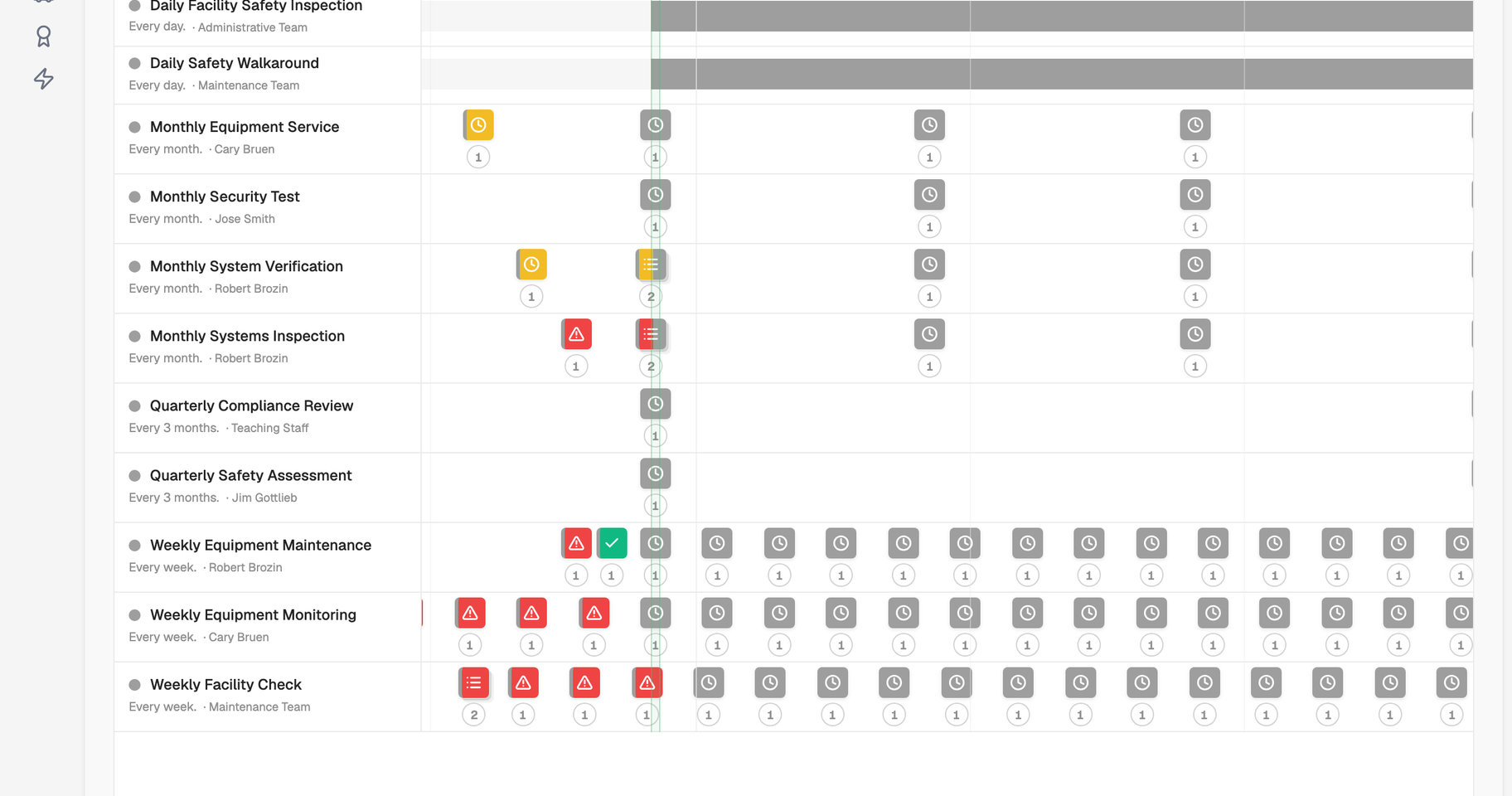
See everything scheduled across your whole operation in a single timeline, not one schedule at a time. The 52-week planner is a cross-schedule view of all upcoming work, so you can spot pinch points, balance the load and know what's coming before it arrives. It's the one place to answer "what's due, and when" across every site at once.

  • One timeline for all scheduled work, across every site
  • A true cross-schedule view, not a per-schedule list
  • Spot busy periods and clashes before they bite
  • Plan resource and cover with the full picture in front of you
52-week planner timeline showing scheduled work across multiple sites

Work orders

Raise a work order the moment a reactive job appears and track it through to completion. Each order captures what needs doing, where, and against which asset, then carries its own status as the work progresses. Planned and reactive jobs sit side by side, so the full workload is always visible in one system.

  • Capture reactive jobs against the right location or asset
  • Track each order from raised to complete
  • Planned and reactive work managed together
  • Run a risk assessment on the job and acknowledge it on the work order
Work order detail view showing status and assignment

Inspections & checks

Schedule the recurring inspections and checks that keep a building safe and compliant, and capture the results in a consistent form every time. Because each inspection is logged against the place or asset it covers, the outcome becomes part of that record automatically. You build a reliable history of what was checked, when and by whom.

  • Recurring inspections and routine checks
  • Consistent capture every time they're carried out
  • Results logged against the location or asset
  • A defensible record of every check completed
Inspection checklist being completed on a mobile device

Assignment to people and groups

Assign work to the right person or team and let everyone see what's on their plate. Jobs can go to an individual or to a group, so cover is straightforward when people are off or workloads shift. Work is assigned to members of your organisation or to groups, external contractors aren't assigned work orders directly.

  • Assign jobs to an individual or a group
  • Everyone sees their own outstanding work
  • Reassign easily as cover and priorities change
  • Clear ownership on every task
Assigning a work order to a group of team members

A logged record of every job

Every completed job leaves a permanent record, so the work you do today is the proof you need tomorrow. Completion, dates and outcomes are captured as work is done and tie back to the location or asset involved. When an auditor, insurer or manager asks what's been done, the answer is already there.

  • Every job logged on completion
  • Dates and outcomes captured as you go
  • Tied back to the location or asset
  • Proof ready without reconstructing it after the fact
Completed job history on an asset showing activity timeline

Track cost and effort

Record what a job actually took, not just that it was done. Each work order can capture cost line items, the parts used and the labour time spent, so you can compare estimated against actual and see where spend is going. Over time the true cost of running an asset builds up on its record, giving you the numbers to plan budgets and make the repair-or-replace call with evidence behind it.

  • Estimated and actual cost captured per work order
  • Log the parts used on each job
  • Record labour time against the work
  • See the true running cost build up on every asset
Work order showing cost line items, parts and labour time

Free readiness check

Could you prove it tomorrow?

Most teams only find the gaps when someone asks. This finds them first: a readiness score, your biggest gaps, and a plan for each, in about three minutes.

Ready to get every job on one planner?

Try Today, or book a demo. Be ready the moment someone asks.

Try Today
CalmCompliance dashboard showing maintenance and scheduling